Getting Started
Install Nexora Pulse and connect your site without conflicting with Yoast, Rank Math, or AIOSEO.
View Nexora Pulse product page →Nexora Pulse is a free SEO operations console for WordPress. It runs alongside your existing SEO plugin in analysis mode so you get Index Doctor, internal link graph, and Core Web Vitals without duplicate meta tags.
Installation
Step 01
Install the plugin
Download from the Auralogics download center or upload the ZIP under Plugins → Add New.
Plugins → Add New → Upload → Activate Nexora Pulse
Step 02
Run compatibility check
Pulse detects Yoast, Rank Math, AIOSEO, and SEOPress automatically. When another SEO plugin is active, Pulse suppresses its own title/meta output.
Nexora Pulse → Compatibility Center → Review detected plugins
Step 03
Open the console
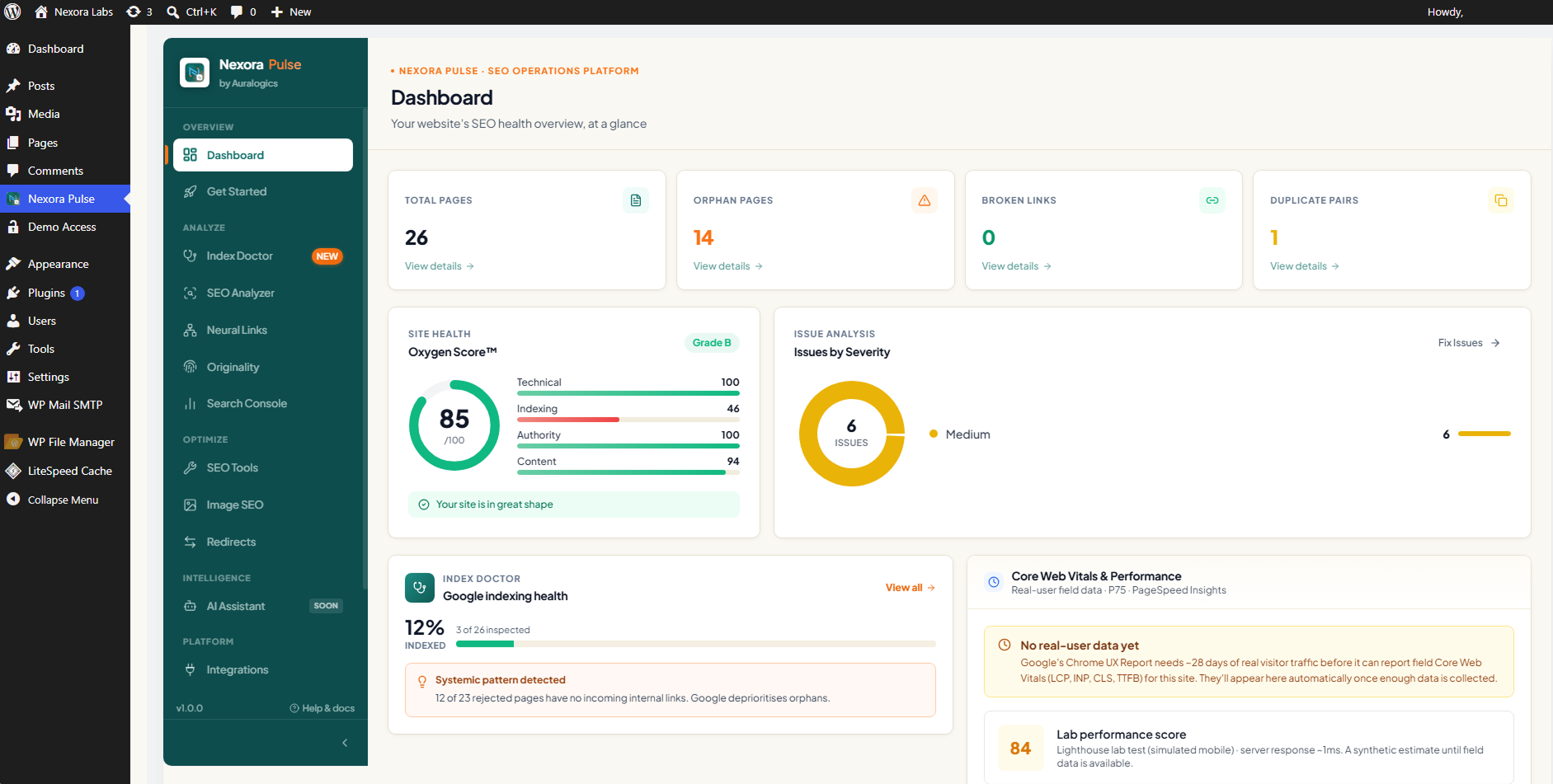
The main dashboard surfaces index health, internal links, CWV, and duplicate content from one screen.
Nexora Pulse → Dashboard
WordPress
6.0+ (7.0 tested)
PHP
8.0+
SEO plugin
Optional, Pulse is safe alongside any major SEO plugin
The SEO health overview
The dashboard opens on a single health overview: your Oxygen Score, issues grouped by severity, and the Google data sources you have connected, so you always know where your site stands and what to fix first.