Getting Started
Install Nexora Media and start generating AVIF and WebP variants in a safe background queue.
View Nexora Media product page →Nexora Media generates AVIF and WebP variants for every upload, serves the smaller file each browser supports to public visitors, and never deletes your originals. Editors and page builders always see the source image while working.
Installation
Step 01
Install and activate
Upload the plugin ZIP or install from your download center package.
Plugins → Add New → Upload → Activate Nexora Media
Step 02
Confirm image libraries
Nexora uses Imagick when available, otherwise GD. The settings screen shows which engine is active.
Nexora Media → Settings → Image engine
Step 03
Process the queue
New uploads enqueue automatically. Bulk-optimize existing media from the Media Library or Queue screen.
Nexora Media → Queue → Process batch
WordPress
6.0+ (6.6 tested)
PHP
7.4+ with Imagick or GD
Disk space
AVIF and WebP variants stored alongside originals
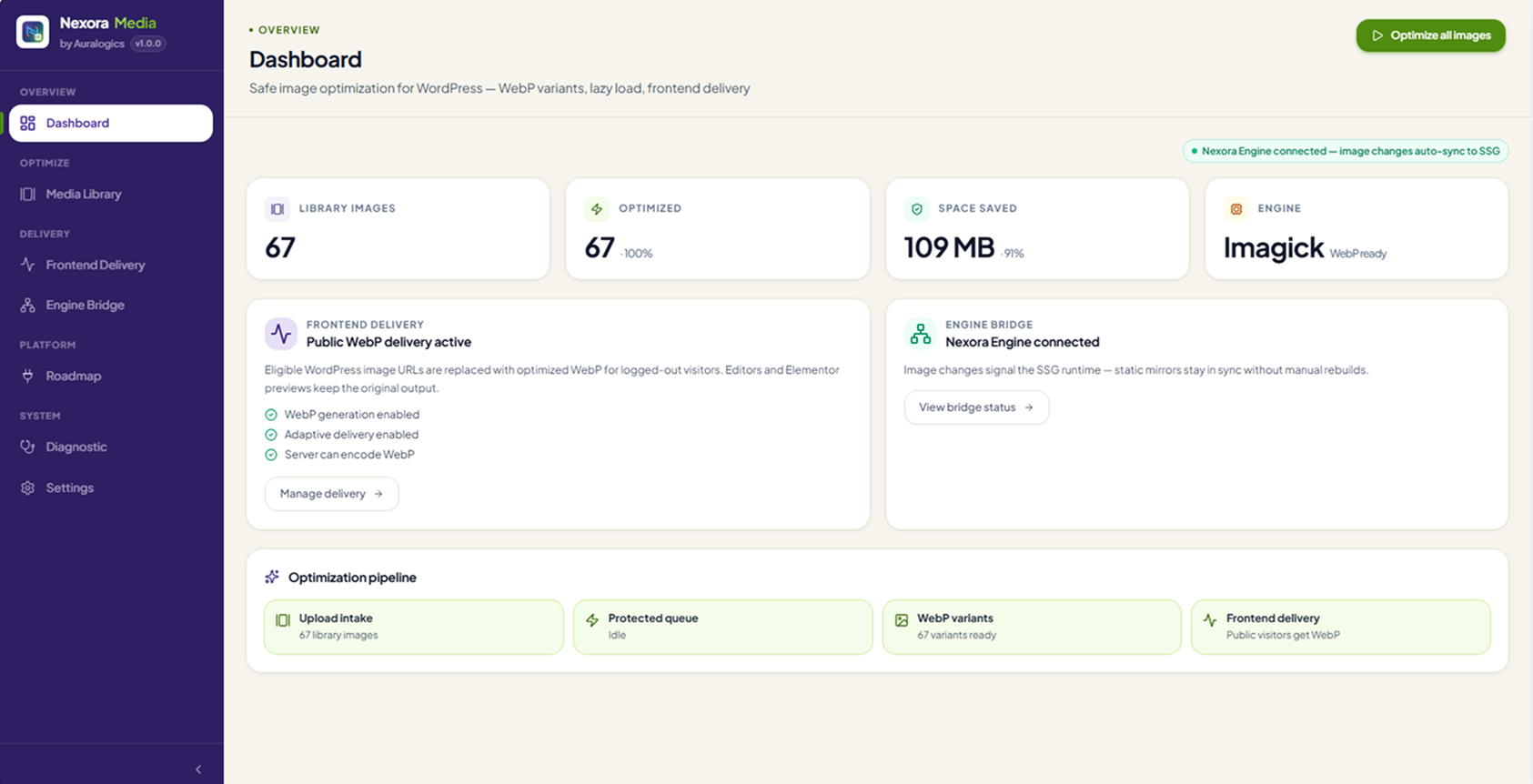
The dashboard
The dashboard is your at-a-glance control center: total library stats, cumulative space saved, the live optimization pipeline, and whether Nexora Media is connected to Nexora Engine for static delivery.