Stop Managing WordPress SEO Across 6 Tabs. Use One Console.
Most WordPress SEO setups involve four or five separate tools, none of which talk to each other. Nexora Pulse pulls indexing data, Core Web Vitals, internal links, and on-page scoring into one free dashboard.
By Auralogics Labs · Product Team

If you manage SEO for a WordPress site, your workflow probably looks something like this: Yoast for on-page scoring, Search Console for indexing data, PageSpeed Insights for Core Web Vitals, a separate tool for broken links, and a redirect manager buried somewhere in your plugins list. None of them share data. You're the only thing holding it all together.
This fragmentation isn't just annoying, it means you're regularly missing connections that would be obvious if the data lived in one place. A page that scores 90/100 in Yoast, has a poor LCP score, and hasn't been indexed by Google for three months tells a coherent story. But only if you're looking at all three signals at the same time.
What Nexora Pulse actually does
Nexora Pulse is a free SEO operations console for WordPress. It replaces the five-tab workflow with a single dashboard that shows you the full picture: what Google thinks of each page, how fast it loads, how well it's connected to the rest of your site, and whether its content is strong enough to deserve a ranking.
Unlike most WordPress SEO plugins, Pulse is designed around diagnosis rather than checklists. It doesn't just tell you to add a keyword, it tells you why a page isn't ranking and what to fix first.
The nine tools inside the console
- SEO Analyzer: scans every post and page for title tags, meta descriptions, heading structure, readability, and keyword usage. Scores each page 0-100 so you know where to focus.
- Index Doctor: connects to Google Search Console and pulls the real indexing verdict for every URL. Shows you exactly which pages Google is ignoring and why.
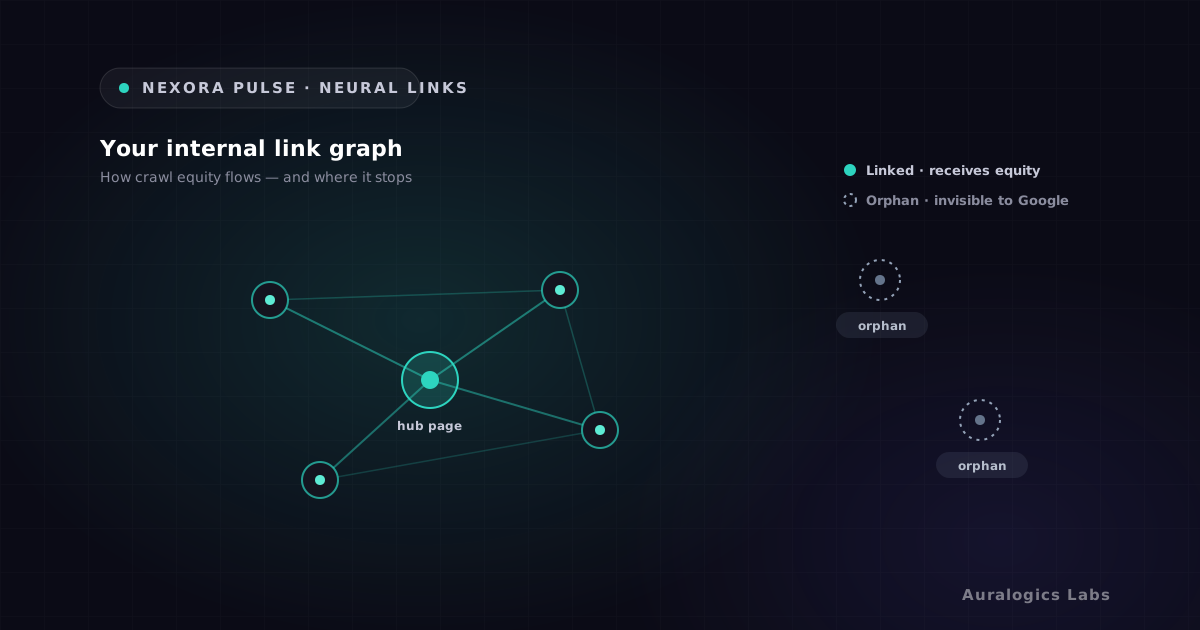
- Neural Links: maps your entire internal link graph. Surfaces orphan pages with no internal links, identifies broken links, and shows where adding a link will have the biggest impact.
- Core Web Vitals: pulls live LCP, INP, and CLS data from PageSpeed Insights and real Chrome user data (CrUX). Shows the specific Lighthouse audits to fix.
- Originality and Duplicates: detects near-duplicate and thin content across your site before Google treats it as a quality signal against you.
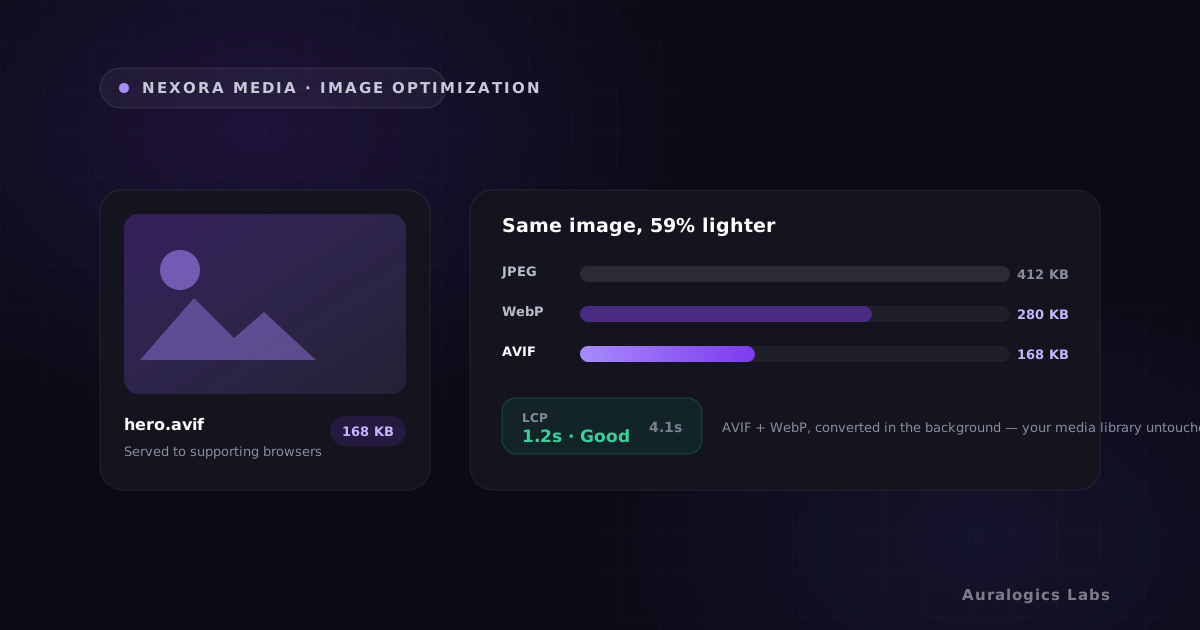
- Image SEO: finds images missing alt text and oversized files hurting your Core Web Vitals, with a worklist to fix them.
- Redirect Manager: create and manage 301/302 redirects without touching .htaccess. Built-in 404 monitor turns dead URLs into one-click redirects.
- XML Sitemap and Robots: auto-maintained sitemap with direct Search Console submission from inside Pulse.
- Schema and Social Meta: JSON-LD structured data and Open Graph tags so your pages look right in search results and on social.
Why it uses your Google data instead of its own
The most valuable features in Pulse, the Index Doctor and Core Web Vitals tracking, connect directly to Google Search Console and PageSpeed Insights using your own API credentials. Your data goes from Google's servers to your WordPress database. It never passes through ours.
This matters for two reasons. First, your analytics stay private. Second, because you're using your own free Google API quota, there's nothing to meter and nothing to charge you for. The most powerful parts of Pulse are free by design, not locked behind a paywall.
Genuinely free, not freemium
Every core module ships free: SEO Analyzer, Index Doctor, Neural Links, Core Web Vitals, Originality, Image SEO, Redirect Manager, Sitemap, and Schema. No feature gates. No 'upgrade to see your data' prompts.
Does it replace Yoast or Rank Math?
Not necessarily, and it's not trying to. Pulse focuses on diagnostic intelligence rather than rewriting the meta-box workflow. It runs comfortably alongside your existing SEO plugin. You control which head tags Pulse outputs so there's no duplication.
Think of it this way: your current plugin handles the editing workflow. Pulse handles the monitoring and diagnosis. Together, you get something neither does alone.
How it fits the broader Auralogics stack
Pulse pairs naturally with Nexora Engine. Engine improves the TTFB and LCP scores that Pulse measures, when static delivery drops your server response to 22ms, your Core Web Vitals scores move immediately. Fixing what Pulse surfaces becomes faster when the underlying infrastructure is already fast.
Get started in under five minutes
- Install Nexora Pulse free from the WordPress plugin directory
- Run your first site-wide SEO scan immediately, no Google connection needed
- Connect Search Console (one-time setup) to unlock the Index Doctor
- Add your free PageSpeed API key for live Core Web Vitals
- Work through the highest-impact fixes your site has never had visibility into before
If you've never had a tool that shows you exactly what Google thinks of each page on your site, your first session with Pulse will be eye-opening. Install it free and run your first scan today.
Ready to see these concepts on your stack? Explore Nexora Engine or read the getting-started guide.