WooCommerce Running Slow? Here's How to Cache Product Pages Without Breaking Checkout
You can't static-cache your entire WooCommerce store. But you can cache the pages that drive 90% of your organic traffic while keeping cart and checkout fully dynamic. Here's exactly how Nexora Engine does it.
By Auralogics Labs · Infrastructure Team
Slow WooCommerce stores lose sales. Not as a vague concern, as a measurable fact. Google's own data shows a 1-second delay in page load time reduces conversions by up to 7%. For a store doing $50,000 a month in revenue, a 3-second product page is costing you thousands every month in abandoned browsing sessions.
The fix sounds simple: cache the pages. And for a standard WordPress site, full-page caching is straightforward. But WooCommerce complicates this because cart state, session cookies, stock status, and pricing need to stay dynamic. A naive full-page cache that serves the wrong content to a logged-in customer is worse than no cache at all.
The WooCommerce caching problem, explained
Most WooCommerce stores have two very different types of pages living side by side. Product pages, category pages, and blog posts are nearly identical for every visitor. They could be pre-rendered and cached safely. Cart, checkout, account, and order confirmation pages are completely personal, they must always render live from the database.
Standard caching plugins handle this with exclusion rules: exclude URLs that contain 'cart', 'checkout', 'account', 'order'. But they still operate inside the WordPress request lifecycle, which means PHP loads, the database connects, and the plugin stack initializes on every request before the cache is even checked. That's why WP Rocket on WooCommerce typically gets you to 200-400ms, not to 22ms.
How Nexora Engine handles WooCommerce session detection
Nexora's advanced-cache.php drop-in intercepts requests at the absolute earliest point in the WordPress lifecycle, before PHP-FPM, before database connections, before any plugin code. The first thing it does is inspect the request cookies.
If a WooCommerce session cookie is present (indicating an active cart), or if a WordPress authentication cookie is present (indicating a logged-in user), the request is sent through to live WordPress immediately. If neither cookie exists, the static snapshot is served from disk in approximately 22ms.
Anonymous shoppers browsing product pages, which represents the majority of organic and paid traffic, get static speed. Active shoppers mid-purchase get the full live experience. No exclusion rules to configure, no edge cases to handle manually.
What gets cached and what stays dynamic
- Cached: product single pages for anonymous visitors
- Cached: shop archive, category, and tag listing pages
- Cached: marketing landing pages, blog content, and static campaign pages
- Cached: Elementor-built product templates and custom layouts
- Dynamic: cart, checkout, and order-received pages
- Dynamic: My Account, login, and password reset flows
- Dynamic: AJAX add-to-cart and fragment refresh for sessions with items in cart
- Dynamic: search results and filtered catalog views
Real-world conversion impact
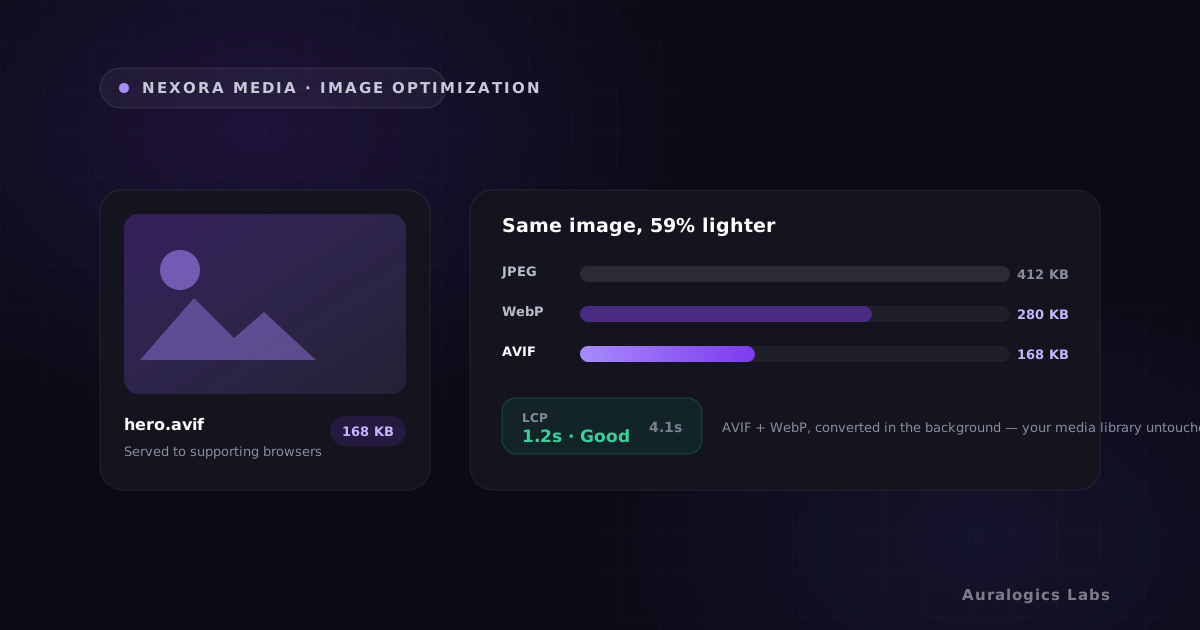
WooCommerce stores on Nexora Engine typically see 90%+ of page views served from static snapshots, that's organic product browsing loading in under 30ms. Conversion flows stay untouched. Pair with Nexora Media for an additional 70% image payload reduction on those product pages.
Inventory and stock status updates
Static product pages reflect stock status at the time they were last captured. When inventory changes in WooCommerce, the plugin triggers a save hook that schedules a snapshot rebuild through Nexora's debounced pipeline. For most stores, this means stock changes are reflected in the static version within 30-60 seconds.
For stores with high-velocity inventory where real-time stock display is critical, you can configure shorter debounce windows or set specific product categories to always serve dynamically while keeping marketing pages static.
Does it work with Elementor product templates?
Yes. Nexora Engine was tested against Elementor and Elementor Pro from the first release. Product templates built with the WooCommerce builder, dynamic widgets, global kit styles, and custom layouts all capture correctly. Logged-in editors always see the live PHP environment, so your design workflow is completely unchanged.
How to set it up on your store
- 1. Install Nexora Engine and activate static delivery from the site dashboard
- 2. Open an incognito window and add a product to your cart, verify you see the live checkout flow
- 3. Open a new incognito window without adding anything to cart, verify product pages load from the static snapshot
- 4. Check your cache hit rate in the Portal dashboard. Most stores reach 85-90% within the first day.
- 5. Monitor for edge cases in your specific WooCommerce plugin setup during the first week
Product page speed is one of the highest-leverage investments you can make in a WooCommerce store. The organic traffic improvement from better Core Web Vitals compounds over months. The conversion lift from sub-second load times shows up in your revenue immediately. Install Nexora Engine and see the difference in the first hour.
Ready to see these concepts on your stack? Explore Nexora Engine or read the getting-started guide.