WordPress TTFB and Core Web Vitals: What's Actually Slowing You Down
Most WordPress performance advice focuses on images and JavaScript. But if your server response is slow, none of that optimization matters. Here's the real relationship between TTFB and your Core Web Vitals scores.
By Auralogics Labs · Infrastructure Team

You've compressed your images, deferred your JavaScript, added lazy loading, and installed a caching plugin. Your PageSpeed score improved by 8 points. Google still marks your LCP as 'poor.' What's going on?
The answer, in most cases, is TTFB. Time to First Byte is the metric that controls everything downstream in the loading waterfall. If your server takes 800ms to respond, the browser can't start downloading images, parsing CSS, or rendering anything until that 800ms is up. Every optimization you made to your JavaScript bundle is happening after a delay that overwhelms it.
Why TTFB is the most important metric you're not fixing
TTFB measures the gap between the browser sending a request and receiving the first byte of the response. On a standard WordPress site, that gap includes PHP startup, database connection, plugin initialization, theme rendering, and output buffering. All of that runs on every single page view.
Google considers a TTFB under 800ms 'good' and under 200ms 'optimal.' Most uncached WordPress sites run between 600ms and 2 seconds. Cached WordPress sites typically land between 150ms and 400ms, depending on how the cache is implemented. Static HTML delivery can bring this below 30ms.
- Under 200ms: optimal (static or edge-cached delivery)
- 200-500ms: acceptable (WordPress with full-page object caching)
- 500-800ms: Google flags as 'needs improvement'
- 800ms and above: Google flags as 'poor', this range is where most WordPress sites live without optimization
- 22ms: Nexora Engine benchmark on cache hit, where WordPress never executes
How slow TTFB directly tanks your LCP score
Largest Contentful Paint measures when the most prominent visible element on the page finishes rendering, usually your hero image, product photo, or top heading. The browser cannot start downloading that element until it receives the HTML that references it.
That means every millisecond of TTFB is added directly to your LCP time. If your TTFB is 800ms and your LCP element takes another 600ms to download and render, your LCP score is 1.4 seconds. Google's 'good' threshold is 2.5 seconds, but 1.4 seconds on a fast connection might become 4 seconds on a mobile device with a weak signal.
The compounding effect
Bringing TTFB from 800ms to 22ms doesn't just move the needle by 778ms, it also means images start downloading 778ms earlier, CSS renders sooner, JavaScript parses while the browser is still receiving HTML. The actual LCP improvement is often 1.5-2x the raw TTFB reduction.
What about INP and CLS?
Interaction to Next Paint (INP) replaced First Input Delay as Google's interactivity metric. It measures how quickly the page responds to user input throughout the full page lifecycle, not just on first load. Heavy plugin JavaScript and third-party scripts are the main culprits here. Static delivery reduces server-side contention and gives the browser more bandwidth to process JavaScript, but improving INP still requires auditing what scripts are actually running.
Cumulative Layout Shift measures visual stability, whether elements jump around as the page loads. Static delivery helps here indirectly: a faster TTFB means fonts, CSS, and layout resources arrive sooner, reducing the window during which layout shifts can occur. Nexora's snapshots capture the fully rendered DOM including computed layout, which prevents the flash-of-unstyled-content issues that happen when CSS loads asynchronously.
The right order to fix WordPress performance issues
Most teams fix things in the wrong order. They spend days optimizing images and deferring scripts while their server response is still taking 800ms. Here's the sequence that actually moves Core Web Vitals scores:
- 1. Fix TTFB first. Add static delivery to eliminate PHP execution on anonymous requests. This is the highest-leverage change you can make.
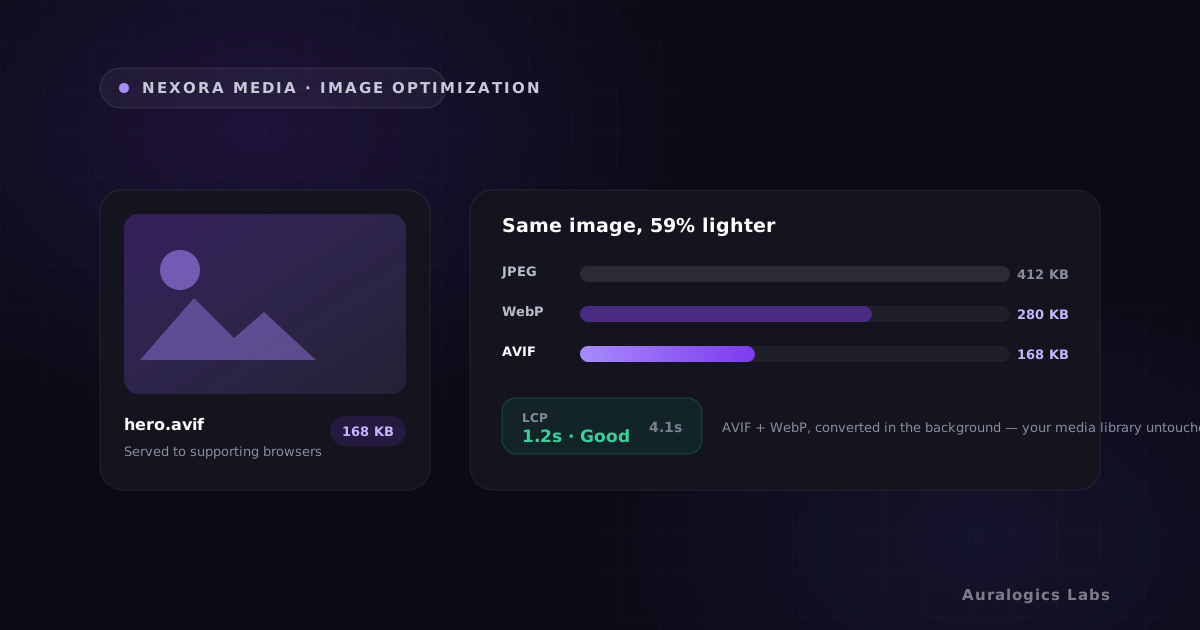
- 2. Optimize images. Convert to AVIF/WebP and serve responsive sizes. After fixing TTFB, image optimization compounds the improvement.
- 3. Audit JavaScript. Use browser DevTools to identify scripts that block rendering or cause INP issues.
- 4. Configure caching headers. Set appropriate Cache-Control and ETag headers so repeat visitors get instant loads from their browser cache.
- 5. Monitor with real user data. Lab scores (Lighthouse) differ from field data (CrUX). Track both to understand how real users experience your site.
Measuring the right way
Lighthouse runs in a controlled lab environment on a simulated connection. Real users have different devices, networks, and locations. The Chrome User Experience Report (CrUX) aggregates real field data, and Nexora Pulse pulls this data directly into WordPress so you can see both lab and field scores side by side.
Track your Core Web Vitals in both contexts. When you make changes (like enabling static delivery), watch the field data for 2-3 weeks to see how it propagates across real user sessions. The improvement is usually larger than what Lighthouse predicts.
Ready to see these concepts on your stack? Explore Nexora Engine or read the getting-started guide.